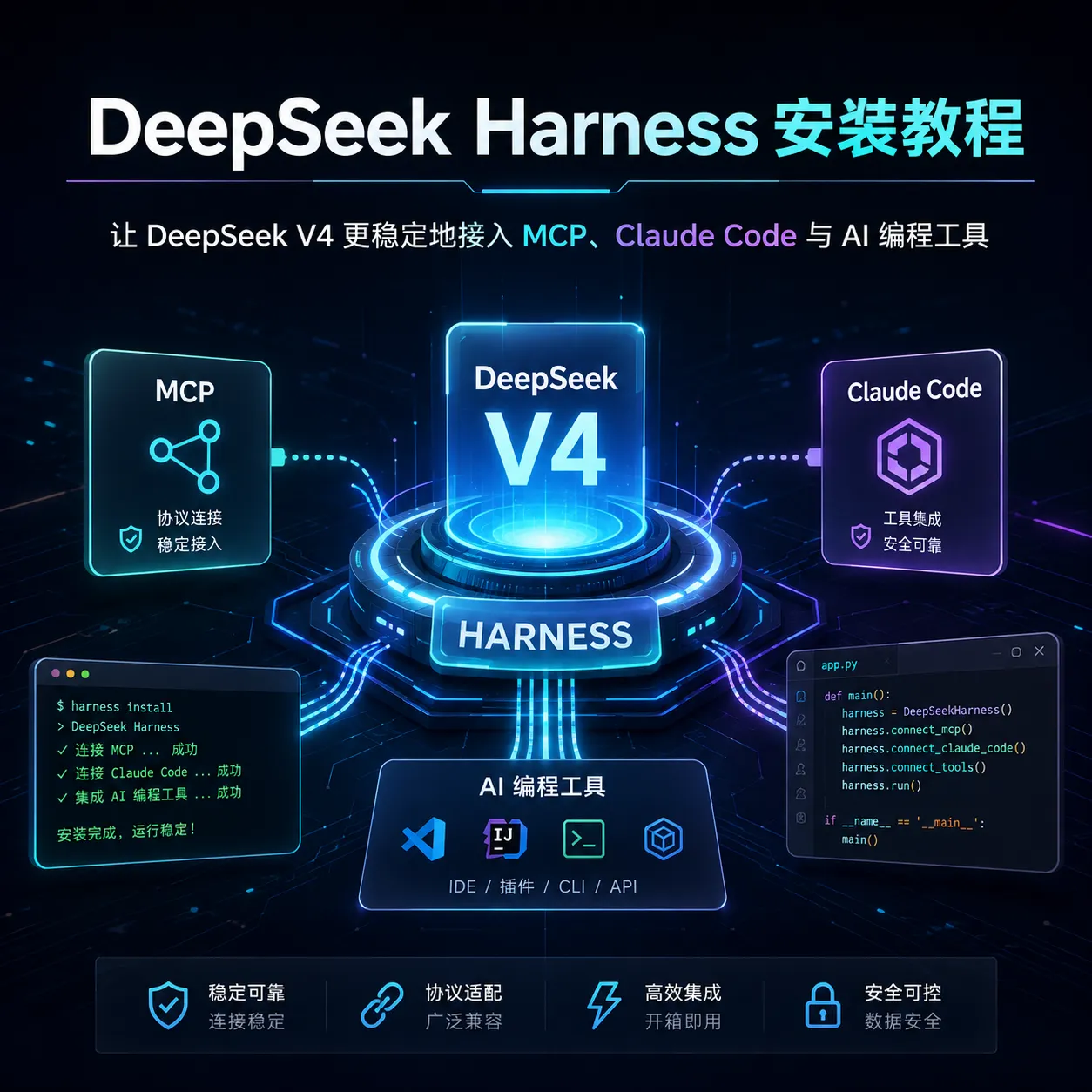
DeepSeek Harness 是一个针对 DeepSeek V4-Pro / V4-Flash 的第三方协议适配项目。
它不是 DeepSeek 官方客户端,也不是新的大模型,而是夹在 DeepSeek API 与 Claude Code、Cline、Roo Code、Cherry Studio 等 AI 工具之间的一层“适配器”,主要解决多轮推理、Tool Calling、流式输出、上下文和缓存等兼容问题。
目前项目提供 4 种主要使用方式:
如果主要用于 AI 编程,我更推荐 MCP + DeepSeek V4-Flash 这套组合。
一、安装前准备
至少需要:
- Python 3
- Node.js / npm
- DeepSeek API Key
- 一个支持 MCP 的 AI 客户端
项目已经明确支持或适配 Claude Desktop、Cline、Roo Code、ChatWise、Cherry Studio 等 MCP 客户端。
DeepSeek API Key 可以从 DeepSeek Platform 获取。DeepSeek 官方目前的 Agent 集成文档也已经围绕 V4-Pro 和 V4-Flash 展开。
二、最推荐:通过 MCP 安装 DeepSeek Harness
实际上不需要把整个项目下载下来。
只需要:
|
|
项目当前提供的 MCP 包为:
|
|
它通过标准 stdio MCP 协议运行。
然后在支持 MCP 的客户端配置中加入:
|
|
保存并重新启动客户端即可。
官方仓库给出的 MCP 配置也是这种方式。
DeepSeek Harness MCP 会提供几个主要工具:
|
|
其中后两个主要负责消息历史和缓存检查,本身不需要消耗 DeepSeek API 配额。
三、安装命令行版本
如果想先测试 DeepSeek Harness 是否能正常工作,可以安装 CLI:
|
|
Windows PowerShell 设置 API Key:
|
|
Linux / macOS:
|
|
然后运行:
|
|
如果环境正常,就可以进入交互模式:
|
|
开启 Thinking:
|
|
还可以检查已有消息:
|
|
或者估算缓存命中:
|
|
这些命令都来自项目当前 CLI 实现。
四、Python 项目安装
如果你正在开发自己的 Agent,可以直接安装 Python Library:
|
|
简单测试:
|
|
Python 方式更适合:
- 自己开发 AI Agent
- FastAPI 后端
- LangChain
- LlamaIndex
- 自动化程序
- 企业内部 AI 系统
项目也将 Python Library 作为自定义 Agent 的推荐接入方式。
五、Claude Code 安装 Skill
DeepSeek Harness 本身还提供了一个 Claude Skill。
安装:
|
|
然后复制:
|
|
重新启动 Claude Code 后即可加载。
这个 Skill 主要让 Agent 理解 DeepSeek V4 的协议特性,包括:
- Thinking / reasoning_content
- Tool Calling
- 消息历史
- DeepSeek Prefix Cache
- API 调用规则
项目提供的 Skill 中还包含 safe_init.py 和协议参考文件。
Windows 用户也可以把:
|
|
复制到:
|
|
六、推荐搭配哪些插件?
DeepSeek Harness 本身更像一个“模型协议层”,真正提升 Agent 能力的还是 MCP 和 Skills。
我比较推荐下面这套组合:
1. Context7
用途:
|
|
例如开发 Next.js、React、Python 时,可以减少模型使用旧 API 的情况。
2. Filesystem MCP
让 Agent:
|
|
这是 AI 编程最基础的一类 MCP。
如果使用 Cline、Roo Code、Claude Code 等,本身已经拥有完整文件操作能力,就没必要重复安装。
3. Playwright MCP
适合 Web 项目。
可以让 Agent:
|
|
对于 Codex / Claude Code / DeepSeek 做网站开发非常实用。
4. Git / GitHub
适合:
|
|
如果 AI 经常帮你修改大型项目,Git 能让修改过程安全很多。
5. Sequential Thinking 类工具
适合复杂:
|
|
不过 DeepSeek V4 本身已经具备 Thinking 能力,因此普通任务没有必要一直开启,否则可能增加 Token 消耗。
七、我更推荐的组合
如果主要目的是 使用 DeepSeek 做 AI 编程,可以这样搭:
|
|
日常写代码:
|
|
复杂架构、疑难 Bug:
|
|
这样通常比所有任务都直接跑 Pro 更合理。
DeepSeek Harness 值不值得安装?
如果只是:
|
|
其实没必要。
但如果你的场景是:
|
|
DeepSeek Harness 就比较有价值。
因为它重点解决的不是“让 DeepSeek 变聪明”,而是让 DeepSeek V4 在 Agent 环境中的协议行为更加稳定。
需要特别注意的是:DeepSeek Harness 是社区项目,并非 DeepSeek 官方项目。
DeepSeek 官方目前另外维护了 awesome-deepseek-agent,里面已经收录 Claude Code、Codex、Cline、DeepSeek-TUI、Reasonix、OpenCode、Qwen Code 等大量 DeepSeek Agent 集成教程,可以作为后续扩展参考。
GitHub 项目
DeepSeek Harness:
|
|
DeepSeek 官方 Agent 集成项目:
|
|
项目当前采用 MIT License。