Building a website used to be a real pain.
You needed a domain name, a server, website software, a template, an SSL certificate… and that was just the beginning.
On top of that, you were somehow expected to understand front-end development, back-end development, databases, servers, website security, UI design, user experience, and a whole bunch of other technical stuff.
Seriously, who knows all of that?
But things are different now.
Your guy BRUCE is here to show you how to build your own website in about 3 minutes.
No more talking.
Let’s get straight into it.
Step 1: Define Your Brand and Buy a Domain
For this demo, let’s create a fictional outdoor pet accessories brand called:
oldwant
Main products:
- Pet water bowls
- Outdoor leashes
- Pet travel backpacks
Target customers:
European and American consumers who enjoy hiking, camping, and spending time outdoors with their pets.
Brand style:
Natural, durable, and lightly outdoor-focused.
Step 2: Let ChatGPT Do the Work
Once you’ve purchased your domain, open Codex in ChatGPT or simply start a new ChatGPT conversation.
Then explain your brand clearly in one message.
For example:
Please create an English single-page brand website for me.
The brand name is oldwant.
We mainly sell pet water bowls, outdoor leashes, and pet travel backpacks.
Our target customers are consumers in Europe and North America who enjoy hiking and camping with their pets.
The website should use forest green, warm off-white, and dark gray as its main colors.
The overall style should feel natural, clean, durable, and premium. Please avoid making it look like a cheap e-commerce template.
The page should include:
- Top navigation
- Hero section
- Three core products
- Product benefits
- Outdoor lifestyle scenes
- Brand story
- Email subscription section
- Footer
Please make the website responsive for both desktop and mobile devices.
Use natural English copywriting and create the complete website with a preview.
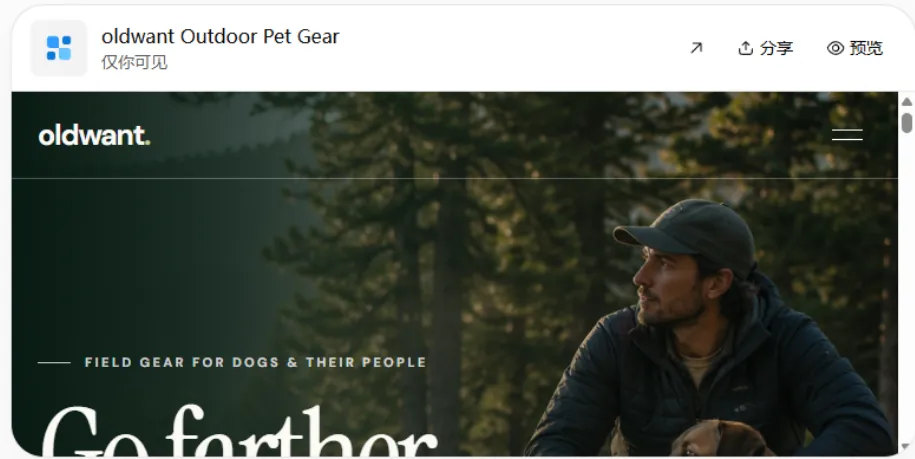
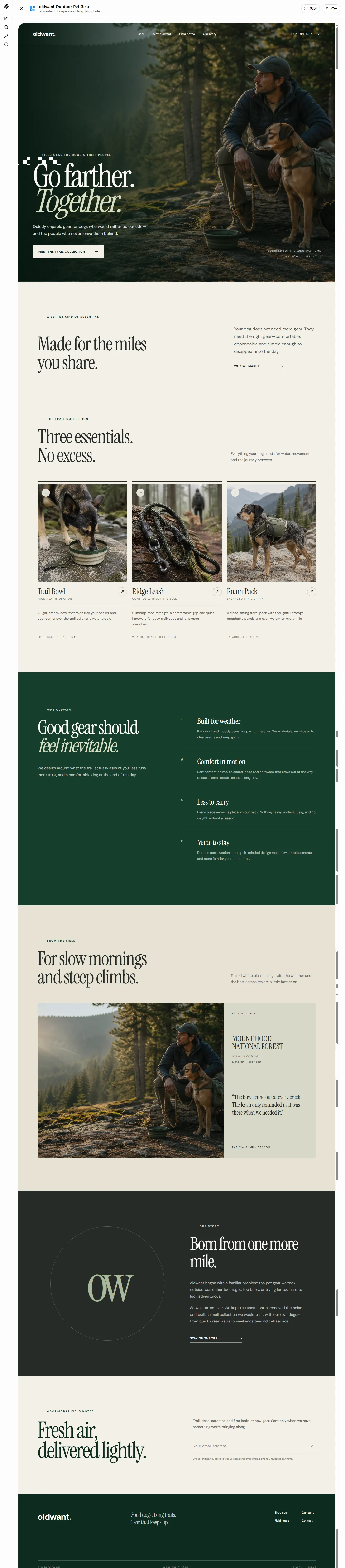
After submitting the prompt, ChatGPT can generate the website structure, copywriting, page design, and a preview version for you.
Step 3: Keep Editing
Once the first version is ready, look through the website.
If you don’t like something, tell ChatGPT to change it.
Don’t be shy.
Make it revise the website eight or ten times if necessary.
If you want the legendary:
“Make me a colorful black.”
Then make it figure it out.
It’s time to let AI experience what being the office workhorse feels like.
Step 4: Publish the Website and Connect Your Domain
Once your AI workhorse has finally finished revising the site, the next step is to publish it on a hosting platform.
A lot of beginners don’t really understand the difference between a domain and hosting.
Here’s the simple version:
Your domain is the street address.
Your hosting platform is the house where your website lives.
For this example, we’ll use Netlify.
- Ask ChatGPT to package the complete website files.
- Log in to Netlify and choose “Deploy manually.”
- Upload the website folder.
- After deployment, Netlify will give you a temporary
.netlify.appURL. - Go to Domain management and add the brand domain you purchased earlier.
- Follow the instructions to configure your DNS records.
Once the DNS changes take effect, people will be able to access your website directly through your own brand domain.
And that’s it.
The complete workflow is basically:
- ChatGPT builds the website → Netlify publishes it → Connect your domain → Website goes live
Final Thoughts
AI can help you build the website.
But whether people trust your brand, whether your products are competitive, and whether visitors are actually willing to spend money after landing on your site still depends on you.
AI can help you build the storefront.
But whether customers walk in and pull out their wallets…